

Artificial intelligence is transforming the way students learn, research, write, and prepare for exams. From explaining difficult concepts to organizing notes and practicing a new language, AI tools for students can make studying more efficient and accessible.
However, using AI effectively is about more than finding quick answers. The best tools help students understand complex topics, improve their skills, manage their time, and complete academic tasks responsibly.
In this guide, we explore some of the best AI tools for students, explain what each tool does best, and share practical tips for choosing the right options for your academic needs.
What Are AI Tools for Students?

AI tools for students are software applications that use artificial intelligence to support learning and academic activities. They can answer questions, summarize information, generate practice exercises, analyze documents, improve writing, and assist with research.
Depending on the tool, students can use AI to:
- Understand challenging subjects such as mathematics, science, and programming.
- Summarize lengthy readings and lecture notes.
- Organize research and identify relevant sources.
- Improve grammar, spelling, and writing clarity.
- Create flashcards, quizzes, and revision plans.
- Practice languages and prepare for presentations.
- Manage assignments and study schedules.
AI should be treated as a learning assistant rather than a replacement for independent thinking. Students still need to verify information, practice essential skills, and follow their schools’ or universities’ academic integrity policies.
10 Best AI Tools for Students
The best tool depends on the task. Some applications are designed for interactive tutoring, while others focus on research, writing, revision, or memorization. Recent comparisons of student-focused AI tools also emphasize choosing tools by learning goal rather than expecting one application to do everything.
| Tool Name | Best Use | Description |
| ChatGPT | Best All-Purpose AI Study Assistant | ChatGPT can explain difficult concepts, help brainstorm project ideas, generate practice questions, review notes, and guide students through problem-solving. It is useful across subjects, from history and literature to mathematics and computer science. |
| Google NotebookLM | Best for Lecture Notes and Study Materials | NotebookLM helps students work with their own source materials, such as supported documents, lecture notes, and readings. Students can ask questions about uploaded sources and create study aids from the material. |
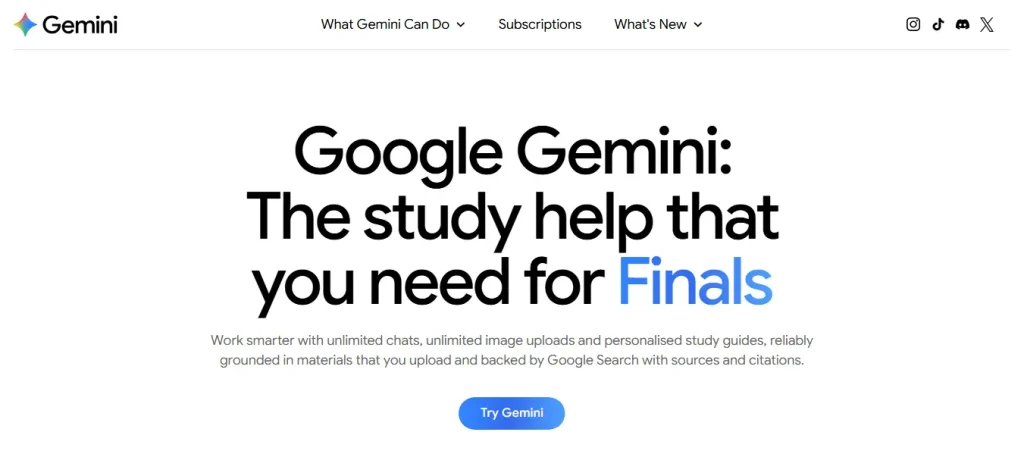
| Google Gemini | Best for Explanations and Multimodal Learning | Gemini can help students explore topics, understand concepts, brainstorm presentations, and work with supported text, images, and other inputs. Its usefulness is especially apparent when a student needs a concept explained in different ways. |
| Perplexity | Best for Research and Finding Sources | Perplexity combines AI-generated responses with links to web sources. It can help students explore unfamiliar topics, identify useful reading materials, and find leads for research projects. |
| Grammarly | Best for Improving Academic Writing | Grammarly helps identify grammar, spelling, punctuation, and clarity issues. Depending on the available plan, it may also offer suggestions about tone and wording. |
| Quizlet | Best for Memorization and Exam Revision | Quizlet helps students practice vocabulary, definitions, facts, and key concepts using flashcards and other study activities. Available AI-powered features can help turn study material into revision resources, depending on the plan. |
| Khanmigo | Best for Guided Tutoring | Khanmigo is designed to guide learners through problems using questions and explanations rather than simply providing answers. It can support learning in areas such as mathematics, science, coding, and humanities. Access and pricing depend on the learner’s circumstances and the available program. |
| Wolfram Alpha | Best for Mathematics and Technical Problems | Wolfram Alpha specializes in computational questions, including mathematics, algebra, calculus, statistics, and other technical subjects. Its available step-by-step explanations and features depend on the type of problem and access plan. |
| GitHub Copilot | Best for Programming Students | GitHub Copilot can suggest code, explain programming concepts, help identify bugs, and support development workflows inside compatible coding environments. |
| Claude | Best for Reading and Developing Ideas | Claude can help students analyze lengthy readings, organize arguments, discuss complex concepts, and receive feedback on drafts. Its learning-oriented features, where available, can encourage students to reason through a topic instead of relying on a ready-made answer. |
Best for: Essay planning, reading comprehension, analyzing arguments, and working through complex material.
Example prompt: “Help me compare these two arguments. Identify their main claims, assumptions, and evidence, then ask me questions so I can form my own conclusion.”
Website: claude.ai
Note: Features, free usage limits, eligibility, and prices can change. Check each provider’s official website for current details before signing up.
Quick Comparison: Which AI Tool Should You Choose?
| AI tool | Best use | Good starting point for |
| ChatGPT | General study support | Students across subjects |
| NotebookLM | Studying from your own documents | Students with lots of notes and readings |
| Gemini | Explanations and multimodal learning | Students who prefer varied learning formats |
| Perplexity | Research and source discovery | Research papers and projects |
| Grammarly | Writing improvement | Essays and reports |
| Quizlet | Flashcards and revision | Exam preparation |
| Khanmigo | Guided tutoring | Students who want hints and step-by-step help |
| Wolfram Alpha | Mathematical calculations | Mathematics and technical subjects |
| GitHub Copilot | Coding assistance | Computer science students |
| Claude | Reading and argument development | Students handling complex texts |
How to Choose the Best AI Tool for Your Studies
With so many AI applications available, choosing the right one can feel confusing. The most effective approach is to start with your biggest academic challenge and select a tool that addresses it.
1. Identify Your Main Learning Goal

Before signing up for several platforms, consider what you want to improve.
- For understanding difficult topics: Choose ChatGPT, Gemini, or Khanmigo.
- For researching assignments: Start with Perplexity and verify its sources.
- For reviewing lecture notes: Try NotebookLM.
- For improving written assignments: Use Grammarly or Claude for feedback.
- For memorizing important information: Try Quizlet.
- For solving technical problems: Explore Wolfram Alpha.
- For learning programming: Consider GitHub Copilot.
You probably do not need all ten tools. For most students, a combination of two or three tools is enough to build a useful study workflow.
2. Consider Free Plans and Student Budgets
Many AI tools offer free versions, but they may limit the number of questions, advanced features, file uploads, or daily usage.
Before paying for a subscription, ask yourself:
- Can the free version handle my regular study tasks?
- Will I use the paid features frequently enough to justify the cost?
- Does my school or university provide access to an educational plan?
- Are the features available in my country and on my device?
Practical tip: Start with free plans, identify their limitations, and upgrade only when a specific feature would make a meaningful difference to your studies.
3. Check Accuracy and Source Quality
AI-generated answers can contain mistakes, outdated information, or references that do not support the claims being made. This is especially important for academic research, scientific explanations, and numerical problems.
To improve accuracy:
- Compare important claims with your textbooks or lecture materials.
- Open the original sources rather than relying only on AI-generated summaries.
- Ask the tool to explain its reasoning and identify uncertainty.
- Check calculations independently when possible.
- Consult your instructor or a reliable reference when the answer remains unclear.
An AI tool should help you investigate an answer, not remove the need to evaluate it.
This table is a general guide, not a guarantee of identical access for every student. Check the providers’ current terms, particularly if you need advanced features or expect to use the tools frequently.
Frequently Asked Questions
Which AI tool is best for students?
ChatGPT is a useful starting point for general study assistance, while NotebookLM is particularly suitable for working with your own course materials. Perplexity can help with research discovery, and tools such as Quizlet are useful for revision. The best choice depends on your needs.
What is the best free AI tool for studying?
There is no single winner for every student. ChatGPT and Gemini can help explain concepts, NotebookLM can support document-based study, and Quizlet offers study activities. Compare their current free features to determine which fits your workflow.
Can AI tools help students prepare for exams?
Yes. Students can use AI to generate practice questions, explain difficult concepts, create revision guides, and identify weak areas. For the best results, combine AI-assisted practice with independent problem-solving and review of official course materials.
Can students use AI for academic research?
AI tools can help students explore topics, discover sources, organize ideas, and review documents. However, students should verify original sources, ensure citations are accurate, and follow their institution’s rules about AI-assisted research and writing.
Will AI replace teachers?
AI can support explanations and provide additional practice, but it cannot fully replace the judgment, feedback, subject expertise, and human support that teachers provide. It is most useful as a complement to teaching and independent learning.
Final Thoughts
The best AI tools for students are the ones that make learning more effective without taking away the opportunity to think independently.
Start with a general-purpose assistant such as ChatGPT, add NotebookLM if you regularly study from lecture notes and documents, and choose a specialized tool for writing, research, mathematics, or programming when needed.
Most importantly, use AI to ask better questions, test your understanding, and improve your work. The goal is not simply to finish assignments faster; it is to become a more confident, capable, and independent learner.