
Best free all-round assistant: Google Gemini
Useful for everyday questions, writing, brainstorming, and compatible Google workflows. Free usage and advanced features are subject to limits.

Best general-purpose alternative: ChatGPT
A versatile starting point for explanations, writing, planning, learning, and problem-solving.
Best for studying documents: NotebookLM
Explore your notes and reference documents, generate summaries, and create study questions based on supplied sources.
Best for design: Canva
Create social media posts, presentations, posters, and other visual materials using templates and available AI features.

Best for research: Perplexity
Explore topics with source-linked answers and follow citations to the original material.
Best for coding: GitHub Copilot
Get programming suggestions and explanations while learning or developing software. Free access has usage limits.
These tools cover several common needs without requiring you to pay for multiple subscriptions immediately. Their free features and usage limits can change, so check each provider’s current terms.
More Free AI Tools Worth Exploring
Beyond general assistants and research platforms, several specialized tools can help with creative projects, writing, and software development.
Grammarly — Best for grammar and editing
Improve spelling, sentence clarity, tone, and readability. A free plan is available, with some advanced writing features reserved for paid plans.

Adobe Firefly — Best for AI-generated visuals
Experiment with AI-assisted image creation and editing. Available free generative credits and commercial-use terms depend on the current plan and feature.
CapCut — Best for beginner video editing
Edit short videos, add captions, and explore AI-assisted editing features. Availability varies by feature, device, and region.
GitHub Copilot — Best for learning to code
Get code suggestions, explore programming concepts, and understand examples. Its free tier has usage limits.
How to Choose the Best Free AI Tool for Your Needs

The best free AI tool is the one that solves your problem effectively without introducing unnecessary cost or complexity. Instead of signing up for every platform, start by identifying the task you want to improve.
1. Identify Your Primary Goal
Different tools are better suited to different activities.
- Writing and brainstorming: Try ChatGPT or Gemini.
- Academic study: Explore NotebookLM.
- Online research: Try Perplexity.
- Graphic design: Start with Canva.
- Grammar and proofreading: Explore Grammarly.
- Video editing: Try CapCut.
- Programming: Explore GitHub Copilot.
Choosing a tool based on a specific goal makes it easier to learn its features and evaluate its results.
2. Check What the Free Plan Includes
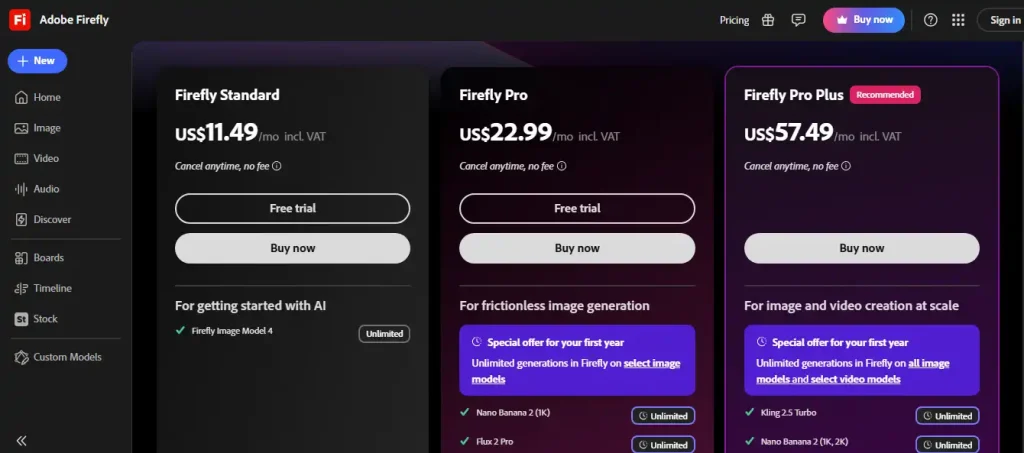
The word free does not always mean unlimited access. Some platforms limit the number of requests, image generations, file uploads, or advanced model interactions. Others reserve certain features for paid subscribers.
Before choosing a tool, check whether its free plan includes the features you actually need. A free plan that handles your everyday tasks may be more valuable than a premium platform with features you rarely use.
3. Test the Tool With a Real Task
Use the tool to complete something you genuinely need to do. For example, ask an AI assistant to draft an email, use a research tool to investigate a topic, or create a presentation with a design platform.
Evaluate the results based on accuracy, usefulness, ease of use, and the amount of editing required.
Do not pay for an AI subscription until you understand what the free version can and cannot do.
4. Consider Privacy and Data Protection

Free AI tools may process submitted information on external servers. Before uploading confidential documents, personal records, or business information, review the provider’s privacy policy and data controls.
Avoid sharing passwords, payment information, sensitive customer records, or confidential company materials unless the service is approved for that purpose.
5. Add Specialized Tools Only When Necessary
You can accomplish many tasks with one general-purpose AI assistant. Add a specialized tool when you need something the existing assistant does not handle well.
For example, you might use ChatGPT for brainstorming, NotebookLM for studying your documents, and Canva for creating the final presentation. This simple combination can cover several common needs without requiring a large collection of subscriptions.
How to Get Better Results From Free AI Tools

The quality of an AI response often depends on how clearly you describe the task. You do not need complicated technical language. You simply need to explain what you want and provide relevant context.
Use this basic prompt structure:
Beginner-friendly AI prompt
I want to [describe your goal]. My topic or task is [provide details]. My target audience is [describe the audience]. Please create [the required output] in clear English. Organize the result with headings and practical examples. Keep the information accurate and identify anything that needs verification.
Copy prompt
For example, instead of asking an AI tool to “write about fitness,” ask it to create a beginner’s guide to home workouts, specify the intended audience, request a weekly schedule, and ask for safety considerations.
Specific instructions usually make the result more relevant and reduce the amount of editing required.
Are Free AI Tools Good Enough for Professional Work?
Yes, free AI tools can be sufficient for many professional tasks, including drafting content, researching topics, creating basic designs, summarizing documents, and organizing ideas.
However, suitability depends on the complexity of the work, the quality required, the volume of tasks, and the restrictions of the free plan.
A freelancer might find a free writing assistant sufficient for preparing initial drafts. A student might use a free research tool to organize notes. A small business owner might create marketing graphics using a free design plan.
Professional use still requires human review. AI-generated content may contain factual errors, generated images may have usage restrictions, and free plans may not offer the privacy controls or administrative features needed for confidential work.
Before using any output commercially, verify important information and check the platform’s current licensing and usage terms.
Frequently Asked Questions
What is the best free AI tool overall?
ChatGPT and Google Gemini are strong starting points for general-purpose AI assistance. The better choice depends on your preferred workflow, available features, and usage limits.
Which free AI tool is best for students?
NotebookLM is useful for studying supplied documents and creating summaries or practice questions. ChatGPT and Gemini can also help explain concepts, organize study schedules, and develop learning exercises.
Are there free AI tools that do not require coding?
Yes. ChatGPT, Gemini, Perplexity, Canva, Grammarly, and NotebookLM can be used for many tasks without programming knowledge.
Can I use free AI tools to create content for a website?
Yes. AI tools can assist with brainstorming, outlines, drafting, editing, and research. Before publishing, review the content for factual accuracy, originality, usefulness, and appropriate sourcing. Check any relevant licensing restrictions when using generated images or other creative assets.
Do free AI tools have hidden costs?
Some tools offer genuinely free plans, while others provide temporary trials, usage-based upgrades, or premium features. Review the pricing page carefully and check whether a payment method is required before signing up.
Should I use several free AI tools together?
You can, but you do not need to start with many. One general-purpose assistant and one specialized tool are usually enough to begin. Expand your toolkit when a specific need justifies it.
Conclusion
The best free AI tools make it easier to accomplish everyday tasks without requiring an immediate financial commitment. ChatGPT and Gemini are useful for general assistance, NotebookLM supports document-based learning, Perplexity helps with online research, Canva simplifies design, and specialized applications can improve writing, video editing, and coding.
The smartest approach is to start with a clear goal, test a free plan, verify the results, and expand your toolkit only when necessary. Free AI tools have limitations, but the right combination can provide substantial value for students, freelancers, professionals, and small businesses.
You do not need expensive subscriptions to begin exploring artificial intelligence. Start with one useful tool, practice giving clear instructions, and discover how AI can make your work easier, faster, and more productive.